
How do I find, download or archive a document?
Find a document with the lists and the search, download it or move it to the archive.
Step 1: Open “Documents”
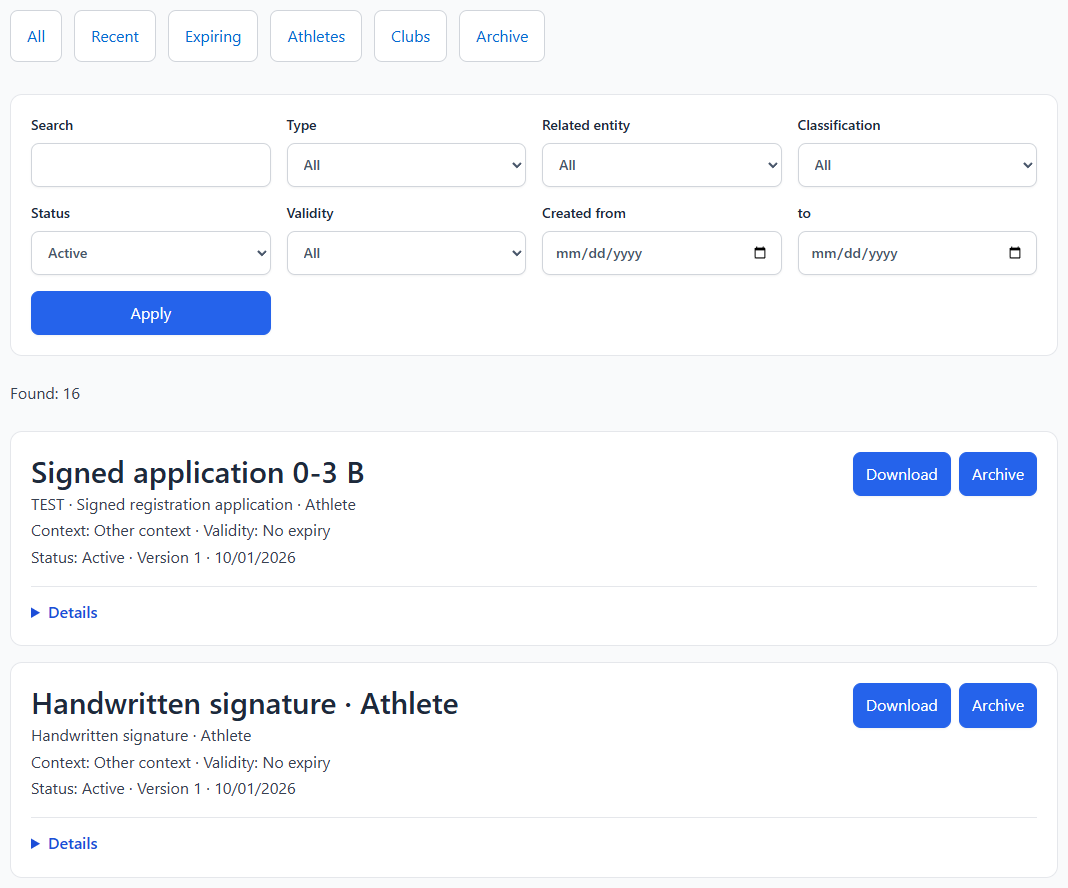
In the left menu, choose “Documents”. The tabs “All”, “Recent”, “Expiring”, “Athletes”, “Clubs” and “Archive” sort the documents in different ways.
Step 2: Search and filter
Type a word in “Search” or choose a “Type” and press “Apply”.
Step 3: See the details
Press “Details” to see the title, type, who it is related to, validity and versions.
Step 4: Download or archive
Press “Download” to get the file. Press “Archive” to remove it from the main list — you then find it under “Archive”.